Why Traditional Classroom Food Chain Activities Fall Short
For decades, elementary and middle school biology teachers relied on paper worksheets, index cards with yarn strings, or flashcard sorting drills to teach food chains. While those activities illustrate basic concepts, they fail to demonstrate dynamic equilibrium.
In a paper activity, when a student cuts out a rabbit card, the grass does not magically regrow or starve. Students cannot witness population oscillations, ecological carrying capacities, or trophic collapse. They memorize static vocabulary terms rather than developing genuine scientific intuition about how living ecosystems regulate themselves.
Modern life science education demands active inquiry. To compare broader options, explore our main guide on free ecosystem simulation games.
Static worksheets teach what eats what. Interactive 3D simulations teach what happens when balance is disrupted.
Essential Features for Classroom-Ready Ecology Games
Before selecting digital science tools for your students, verify that the platform meets essential classroom requirements:
1. Zero Student Login Friction: School firewalls, student privacy laws (COPPA/FERPA), and password fatigue mean teachers cannot spend 20 minutes having 28 middle schoolers create new user accounts.
2. Chromebook Compatibility: Most K-12 school districts deploy lightweight Google Chromebooks. Simulations must run efficiently in Chrome without heavy GPU requirements or software installs.
3. Ad-Free and Distraction-Free: Free gaming websites frequently host flashing banner ads, video interruptions, and unmoderated sidebars that distract students and violate school district web filtering policies.
4. NGSS Curricular Alignment: The game must directly reinforce standards like NGSS 5-LS2-1 (matter and energy in ecosystems) and MS-LS2-3 (cycling of matter and energy flows).
Comparing Educational Food Chain Games for Students
The table below compares popular classroom digital ecology tools across key instructional dimensions:
| Platform | Format & Engine | Login Required | Chromebook Performance | Pedagogical Focus |
|---|---|---|---|---|
| Praxos Ecosystem | Modern 3D WebGL Sandbox | NO (Instant 1-Click Play) | Fast and Lightweight | Carrying capacity, 3D trophic cascades, population stability |
| Legacy Flash Emulators | 2D Sprite Animations | Varies by site | Moderate (Requires emulation wrapper) | Linear matching and basic food chain ordering |
| Static Quiz Portals | Multiple Choice Formats | Often requires student logins | Fast | Rote vocabulary memorization and test prep |
| Complex Desktop Simulators | Installed 3D Software | School license required | Poor (Requires dedicated GPUs) | High school advanced mathematical modeling |
Structuring a 45-Minute Classroom Food Chain Simulation Period
Here is an instructional sequence designed for a standard 45-minute science block:
Minute 00-05 (Launch & Hook): Project the Praxos simulation onto your smartboard. Ask students: "If we double the rabbit population, will the grass survive for 30 days?" Have students record an opening hypothesis.
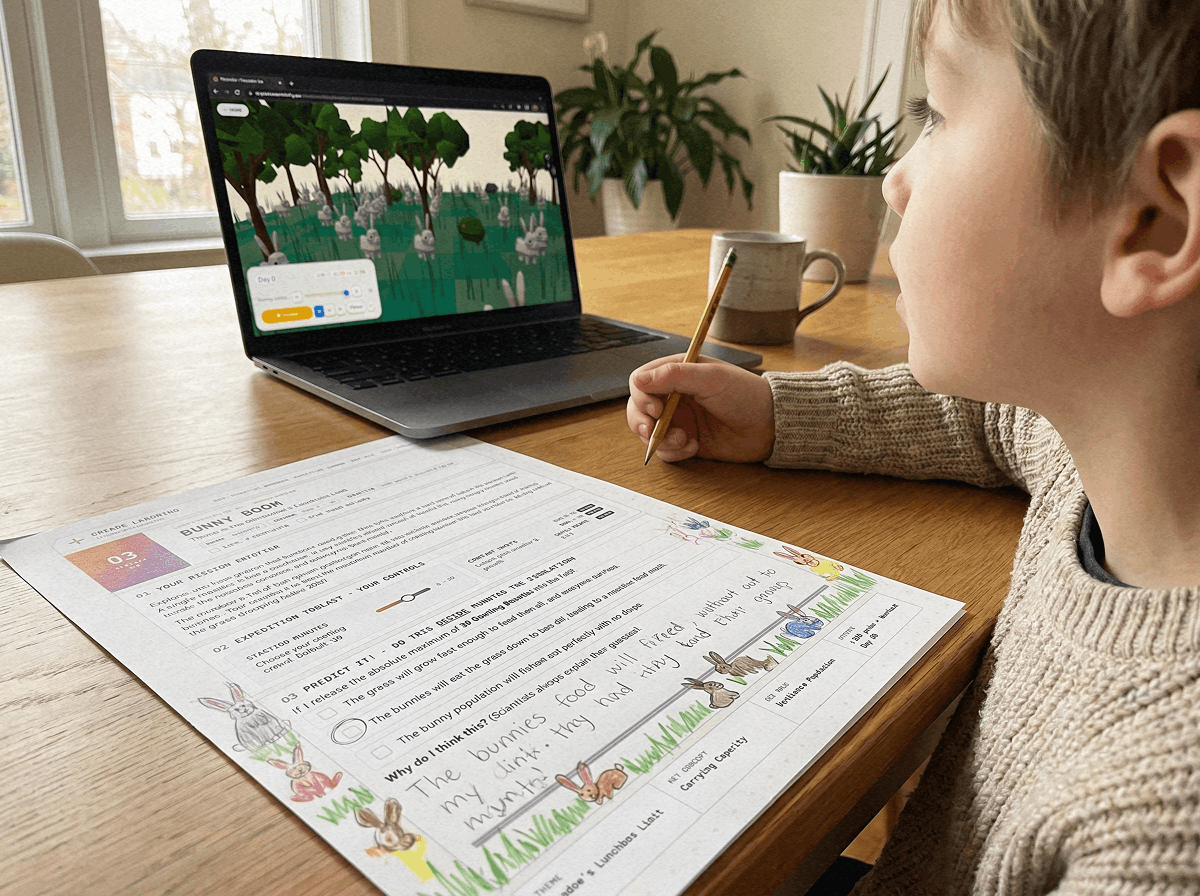
Minute 05-25 (Individual / Partner Inquiry): Students open the browser link on their Chromebooks and launch Level 1 and Level 2. They adjust solar radiation and herbivore density, recording data in their notebooks when populations peak and decline.
Minute 25-35 (Disturbance Challenge): Introduce an environmental shock: reduce rainfall by 50% or add an apex predator. Students observe whether their ecosystem achieves balance or collapses into starvation.
Minute 35-45 (Scientific Debrief): Facilitate a whole-class CER (Claim, Evidence, Reasoning) discussion using data collected during simulation runs.
Challenge students to maintain a balanced meadow for 60 consecutive days without allowing any species population to drop to zero.
Launch Free 3D Classroom Food Chain Labs Instantly
With Praxos Learning, you can start teaching an interactive food chain lab in seconds. The simulation boots immediately in modern browsers with zero setup.
All simulation levels run smoothly on Chromebooks, PCs, Macs, and tablets. Download our free 24-page companion mission journal to provide your students with structured data tables, population tracking sheets, and CER analysis templates.
Model producer-consumer ratios, test carrying capacity, and engage students with free browser-based 3D simulations.
START CLASSROOM LABFrequently Asked Questions About Classroom Food Chain Games
Common questions asked by science teachers and STEM coordinators regarding classroom food chain games.
Do students need accounts to play Praxos food chain games?
Does the simulation work on school-issued Chromebooks?
How does an ecosystem simulation game help with NGSS testing?
Can teachers track student progress in the simulation?
Free Supporting Classroom Science Resources
Explore additional free resources to support your life science and ecology units:
Play our core 3D simulation sandbox in our free ecosystem simulation game guide.
Discover top educational science platforms in our interactive food chain websites guide.
Teach natural selection with our bunny natural selection simulation guide.
Explore browser sandboxes in our ecosystem simulator game online guide.
Set up your free teacher dashboard on our educator portal.
Equip your class with printable hypothesis tables, food web tracking grids, and CER science synthesis logs designed for all 10 simulation missions.
GET FREE MISSION LOGBOOK (PDF)24-Page Ecosystem Companion Mission Journal (PDF)
Download the complete 24-page printable student companion mission journal with structured data tables, population graphs, and reflection prompts.