
Pediatric Guidelines: Understanding Screen Limits by Developmental Stage
Children of different ages possess fundamentally different neurological capacities for processing digital stimuli. What is harmless for a 14-year-old coding a website can severely impair the language development and sleep architecture of a 3-year-old.
The American Academy of Pediatrics (AAP) and the World Health Organization (WHO) recommend that screen boundaries evolve dynamically as children mature. Rather than applying a single rigid household rule, parents should calibrate screen privileges and restrictions to their child developmental readiness.
Below is a comprehensive age-by-age roadmap providing concrete daily time limits, recommended media formats, and primary developmental priorities.
| Age Group | Recommended Daily Limit | Approved Media Types | Core Household Rule |
|---|---|---|---|
| INFANTSUnder 18 Months | Zero screen time (except interactive video calls with family) | Live video chat with relatives | No solo device use or background TV |
| EARLY CHILDHOODAges 2 to 5 | Up to 1 hour per day of high-quality programming | Interactive educational apps; co-viewed PBS Kids / nature documentaries | Adult co-viewing mandatory; zero screens during meals |
| ELEMENTARY (GRADES 1-3)Ages 6 to 8 | 1 to 1.5 hours recreational; flexible educational STEM use | 3D science simulations, introductory coding, logic puzzles, audiobooks | No screens in bedrooms; physical homework before recreation |
| TWEENS (GRADES 4-7)Ages 9 to 12 (Tweens) | 1.5 to 2 hours recreational; uncapped creative/academic tools | Digital art, computational modeling, collaborative coding, research | All devices docked in central charging station by 8:30 PM |
| TEENS (GRADES 8-12)Ages 13 to 18 (Teens) | 2 hours recreational; independent digital productivity | Online coursework, graphic design, programming, moderated messaging | Bedrooms tech-free during sleep hours; tech-free family dinners |
The 4 Non-Negotiable Household Screen Rules That Eliminate Friction
While specific time allocations change as children grow, every healthy digital household relies on four foundational rules. These non-negotiable boundaries prevent tech addiction from taking root in the home.
Zero Screens in Bedrooms Overnight
Blue light and late-night notifications disrupt melatonin production and REM sleep cycles. Every family device must charge in a central kitchen or living room station overnight.
Tech-Free Family Meals and Morning Routines
Protect dinner time and the first 30 minutes of the morning for human-to-human conversation and nervous system settling without digital noise.
The Two-Minute Transition Warning
Never pull a device without a transition runway. Give children a brief warning so they can save progress and wind down their focus.
Active Creation Before Pure Consumption
Establish the rule that digital creation, 3D science simulations, or physical chores must precede passive YouTube or streaming entertainment.
Distinguishing Active STEM Inquiry from Passive Algorithmic Feeds
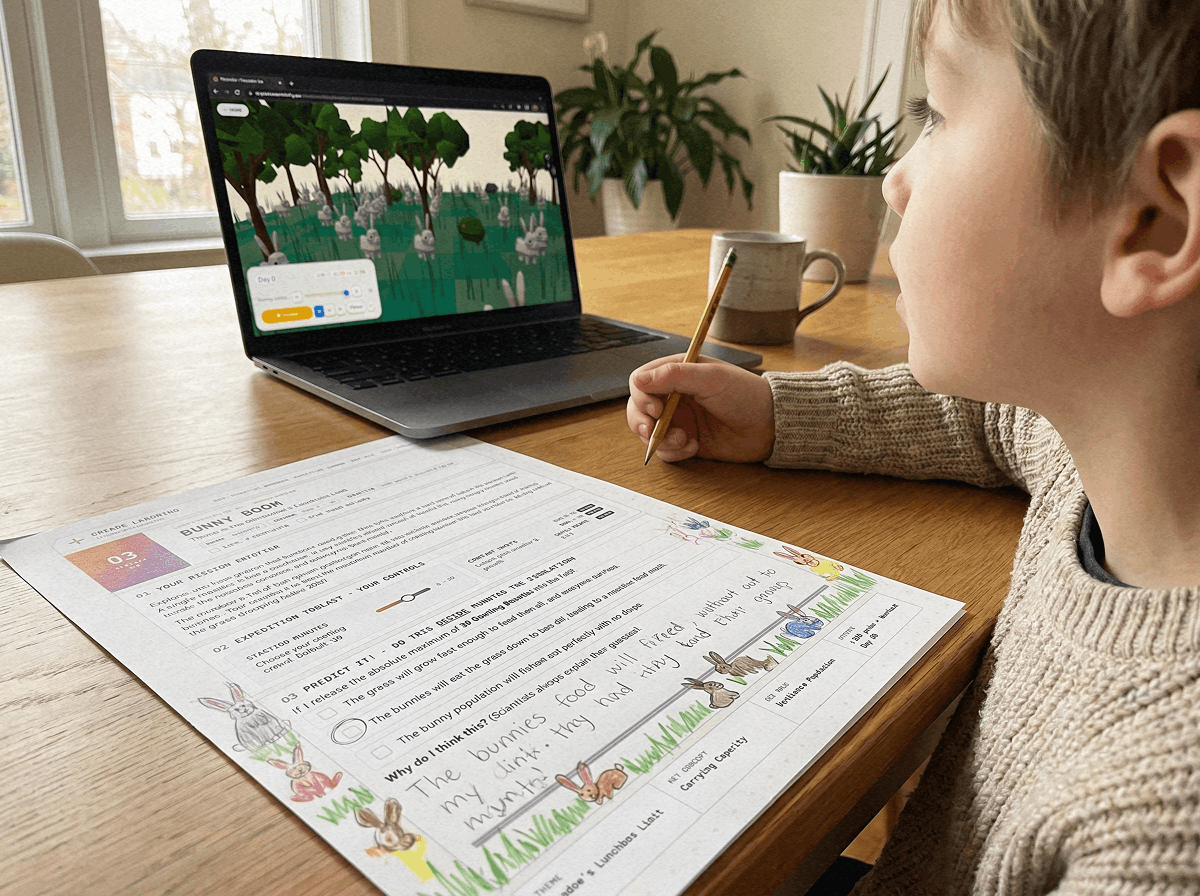
Not all screen time is created equal. A child spending 45 minutes running virtual ecology experiments in the Praxos 3D Simulation Sandbox is exercising computational thinking, spatial reasoning, and ecological modeling.
In contrast, 45 minutes spent watching auto-playing short-form videos stimulates repetitive dopamine feedback loops without building critical problem-solving skills.
When structuring your homeschool or after-school routine, treat active STEM simulations as digital laboratory time rather than entertainment screen time. This distinction encourages students to view technology as a powerful thinking tool.
If a digital tool requires a child to make decisions, test hypotheses, and predict outcomes on paper, it builds intellectual resilience. If it only requires passive scrolling, it drains cognitive endurance.
Frequently Asked Questions: Navigating Screen Time Rules in Modern Homes
Common parent questions regarding age-appropriate boundaries, weekend exceptions, and digital independence.
What screen time rules work best for 7 and 8 year olds?
Should weekend screen time limits be different from weekdays?
How do I handle screen time rules for multiple kids of different ages?
What is the best way to transition a child off a screen without tears?
Healthy Screen Habits & Science Lab Log (PDF)
A printable 24-page inquiry workbook that keeps students grounded with written predictions, physical data tables, and coordinate graphs during digital science trials.